WordPress: How AI Is Transforming Website Development and Management
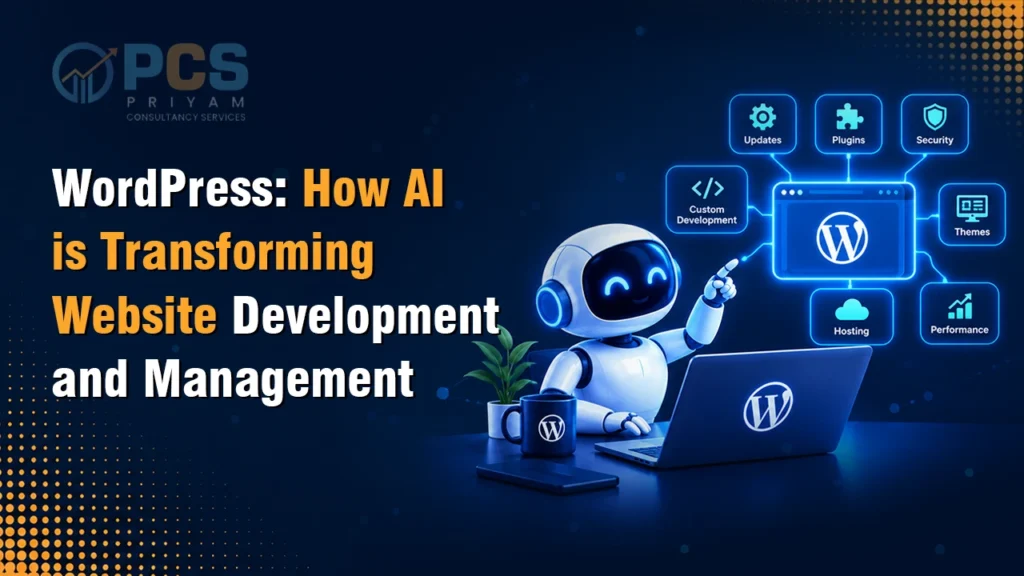
WordPress: How AI Is Transforming Website Development and Management WordPress AI website development has moved from a collection of third-party plugins into something built directly into the core platform. WordPress AI website development has entered a new phase with the introduction of AI infrastructure in WordPress 7.0 . For businesses and developers relying on WordPress, this shift changes how sites get built, managed, and improved. This blog breaks down exactly what’s changing, what WordPress 7.0 introduces, and what it means for anyone building or managing a WordPress site today. This blog breaks down exactly what’s changing, what WordPress 7.0 introduces, and what it means for anyone building or managing a WordPress site today. Key Takeaways WordPress 7.0 introduces a built-in, provider-agnostic AI Client in WordPress Core. The Connectors API provides a standardized way to manage connections to external services, initially focusing on AI providers. The Abilities API provides a structured way for WordPress functionality to be exposed as capabilities that can be used by applications and AI-driven workflows. WordPress 7.0 does not eliminate AI plugins. Instead, it provides a standardized foundation that plugins can build on. Developers can reduce duplicated AI integration work by using WordPress’s common AI infrastructure. Site owners can manage supported AI provider connections through the WordPress Connectors screen. WordPress’s AI direction is part of a continuing development roadmap rather than a single feature introduced in one release. What Is Changing in WordPress? WordPress has spent years adding blocks, patterns, and site-building tools through the Gutenberg project. The newest phase of that project — Phase 3 — shifts focus toward collaboration and AI-readiness. The most visible outcome of this shift is WordPress 7.0, which redesigned the admin interface with a modern, React-based system, added a Command Palette accessible from any admin screen, and introduced the AI infrastructure that defines this release. For a platform that powers a large share of websites globally, this isn’t a minor update — it’s a structural shift in how the CMS is built and where it’s headed. However, it is important to understand the distinction: WordPress 7.0 provides the infrastructure, but AI services are not automatically enabled simply because a website is upgraded. Site owners still need to configure appropriate providers and install the required plugins or integrations for specific AI functionality. Building the Right HR Strategy for Growth A strategy isn’t a document that sits in a drawer — it’s the framework that makes every person’s decision faster and more consistent. This means clear policies, defined roles, and processes that scale as headcount grows, rather than being rebuilt from scratch every time the business hits a new stage. We build this by first understanding a business’s specific goals and constraints, then designing HR frameworks aligned to that — not a generic template applied across every client. Why Is WordPress Moving Toward AI? Before this release, every WordPress AI plugin had to build its own connection to an AI provider — separate credentials, separate configuration, separate maintenance. This fragmentation created real problems: inconsistent behavior across plugins, duplicated setup work, and security risks from managing multiple sets of API keys across a single site. WordPress AI infrastructure exists to fix exactly this. By building a shared, standardized layer into the core platform, WordPress lets any plugin or theme connect to an AI provider through one consistent system — reducing setup friction and giving site owners centralized control over which AI providers are actually allowed to run on their site. What Is WordPress 7.0 and What Does It Introduce? WordPress 7.0, codenamed “Armstrong,” was released in May 2026 after being delayed from an original April target. It’s the first major WordPress release of the year and formally opens Gutenberg Phase 3. Managing Performance and Employee Productivity As teams grow, informal check-ins stop being enough. Performance management needs structure — clear KRAs and KPIs, regular feedback cycles, and a way to measure productivity that doesn’t rely on a founder’s memory of who did what. Without a defined performance management system (PMS), growing businesses often lose visibility into performance exactly when they need it most. The core additions include: AI Client and Abilities API — a provider-agnostic system letting plugins request AI capabilities without building custom integrations for each provider. Connectors API — a framework for registering and managing connections to external services… includes featured connectors for Anthropic, Google, and OpenAI. Command Palette everywhere — a Cmd/Ctrl+K shortcut now available across the entire admin, not just the block editor. Modernized admin interface— a React-based redesign (DataViews) improving how content and settings are managed. Increased PHP requirement — a minimum of PHP 7.4, reflecting the platform’s move toward more modern infrastructure. Notably, real-time collaboration — originally expected to be the headline feature — was pulled from this release over performance concerns and pushed to a future version. The AI layer ended up being the defining feature instead. How Is AI Changing WordPress Website Development? For developers, this changes the actual mechanics of building on WordPress. Previously, adding an AI feature meant handling API calls, authentication, and provider-specific logic separately for every project. With the AI Client and Abilities API, developers can request AI capabilities through structured, standardized calls — with WordPress handling model routing, credential management, and permission checks.This also means plugins can now describe what they need, and WordPress can route that request to a properly configured model — while site owners retain control over which AI providers are active and how requests are limited on the client side for security. For WordPress AI website development specifically, this reduces both development time and the security surface area that comes with managing multiple third-party AI integrations independently. What Can AI Do for a WordPress Website? On the practical, day-to-day side, AI-powered WordPress websites can now support a wider range of built-in capabilities without needing separate, disconnected tools: Content assistance — drafting, refining, or restructuring content directly within the editor. Admin automation — AI-driven actions like inserting blocks, navigating settings, or executing structured commands through the Abilities